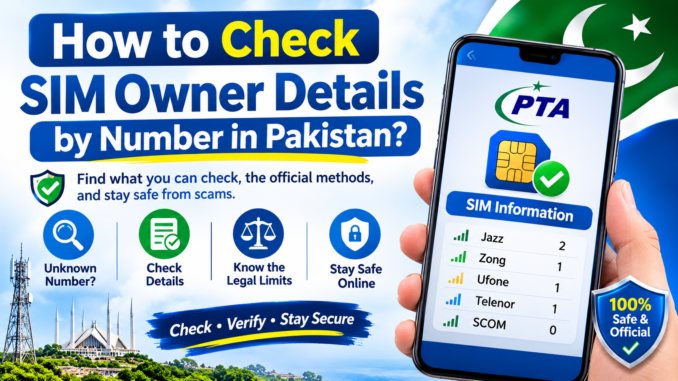
SIM Owner Details 2026 is a commonly searched topic among mobile users in Pakistan who want to check how many SIM cards are registered against their CNIC. Keeping track of your registered mobile connections is important for protecting your identity and ensuring that no unfamiliar SIM registrations are associated with your personal information.
The Pakistan Telecommunication Authority (PTA) provides an official SIM Information System that allows individuals to check their registered SIM connection counts. You can use the online portal or the SMS 668 service to review the available information associated with your own CNIC.
In this guide, you will learn how to check SIM registration by CNIC, understand the verification results, use the official PTA services, and take action if you discover an unfamiliar registration.
For more useful SIM information, registration guides, and mobile network updates in Pakistan, visit SIM To Esim.
How Does SIM Registration by CNIC Work?
In Pakistan, mobile network operators register SIM cards using the subscriber's valid identity information.
The registration process includes identity verification and biometric authentication according to applicable PTA requirements. Once a SIM is successfully registered, its registration record becomes associated with the subscriber's identity.
Your Computerized National Identity Card (CNIC) therefore plays an important role in mobile SIM registration.
If you want to review your registration information, you can use the official verification services instead of relying on unofficial websites that claim to provide private subscriber records.
How to Check SIM Owner Details 2026 Through PTA?
The PTA SIM Information System is an official facility for checking the number of SIM connections registered against your CNIC.
You can access the online service using a mobile phone, laptop, or desktop computer.
Follow these steps:
- Open the official PTA SIM Information System.
- Visit cnic.sims.pk.
- Select the CNIC option.
- Enter your 13-digit CNIC number without spaces or dashes.
- Complete the verification displayed on the page.
- Click the Submit button.
- Review the available SIM registration results.
The portal provides information about SIM connections registered against your CNIC, including available network-wise counts.
Visit PTA SIM Information System →
Understanding Your CNIC SIM Registration Results
After submitting your CNIC, the PTA SIM Information System displays available registration information.
The results help you understand how many SIM connections are associated with your identity across supported mobile networks.
Depending on the available records, you may see network names such as:
- Jazz
- Zong
- Ufone
- Telenor
- SCOM
Each network's displayed count helps you review your registered mobile connections.
For example, if the results show an unfamiliar registration count under a particular network, you should contact that operator to investigate the record.
Remember that the public verification service provides registration counts rather than the complete private identity details or full mobile numbers of subscribers.
How to Check SIM Registration Through SMS 668?
If you do not want to use the internet, you can check your SIM registration count through the SMS 668 service.
This method allows subscribers to review the number of SIM connections associated with their CNIC.
Follow these instructions:
- Open the Messages application on your mobile phone.
- Create a new text message.
- Enter your 13-digit CNIC number without dashes or spaces.
- Send the message to 668.
- Wait for the response.
- Review the available network-wise SIM registration information.
The SMS response helps you understand how many SIM connections are registered against your identity.
How to Identify an Unauthorized SIM Registration?
An unauthorized SIM registration is a mobile connection associated with your identity that you do not recognize or remember authorizing.
It is important to investigate unexpected registration information because a SIM registered under your CNIC may create problems if it is misused.
Here are some situations that deserve attention:
- Your CNIC verification results show unfamiliar SIM registration counts.
- You receive an unexpected SIM activation notification.
- A mobile operator identifies a connection that you do not remember registering.
- You discover an unfamiliar registration while reviewing your CNIC information.
If you notice any of these issues, contact the relevant mobile network operator and request verification.
What to Do If You Find an Unknown SIM on Your CNIC?
Discovering an unfamiliar SIM registration can be concerning, but there are practical steps you can take to investigate and resolve the issue.
1. Identify the Mobile Network
First, review your PTA SIM Information System results and identify which mobile network displays the unexpected registration count.
2. Contact the Relevant Operator
Contact the official customer support service of the relevant mobile network or visit its authorized franchise or customer service centre.
3. Provide Identity Verification
Take your original CNIC with you so the operator can verify your identity and investigate the registration issue.
4. Request an Investigation
Explain that you do not recognize the registration and ask the operator to investigate. If the connection is unauthorized, request the applicable blocking or disowning procedure.
5. Keep Your Complaint Reference
If the operator registers a complaint, save the complaint number or reference for future communication.
6. Verify Your Registration Again
After the issue has been resolved, check your CNIC registration information again through the PTA portal or SMS 668.
You can also submit a complaint through the official PTA complaint portal if you need to report an unresolved issue:
Submit a PTA Complaint →
SIM Registration Information for Different Mobile Networks
Pakistan has several mobile network operators that provide customer support for SIM registration, ownership verification, and related complaints.
If you discover an unfamiliar registration, contact the relevant operator through its official support channels.
Jazz SIM Registration
Jazz subscribers can contact official customer support or visit an authorized Jazz service centre for assistance with SIM registration, ownership verification, and unfamiliar connections.
Zong SIM Registration
Zong users can approach an authorized customer service centre to investigate SIM registration discrepancies and request assistance with ownership-related matters.
Ufone SIM Registration
Ufone subscribers can contact official support to resolve SIM registration problems and verify unfamiliar connections associated with their CNIC.
Telenor SIM Registration
Telenor users can seek assistance through the operator's authorized customer service channels regarding registration records and ownership-related complaints.
SCOM SIM Registration
SCOM subscribers can contact the network's official customer support channels for information about available SIM registration and verification services.
Can You Find SIM Owner Details Using Only a Mobile Number?
Many people search for ways to identify a SIM owner by entering a mobile number online. However, it is important to understand the privacy restrictions surrounding subscriber information in Pakistan.
There is no official public PTA service that allows individuals to enter another person's mobile number and retrieve their private subscriber identity.
The official PTA SIM Information System is intended to help individuals review the number of SIM connections associated with their own CNIC.
Avoid submitting your personal information, CNIC photographs, passwords, or OTP codes to unknown websites.
Why Is It Important to Keep Your SIM Registration Updated?
Maintaining accurate SIM registration information is important for mobile security and responsible telecom usage.
A mobile connection registered under your identity may create difficulties if it is used for activities without your knowledge or authorization.
Regularly reviewing your registration information can help you:
- Monitor mobile connections associated with your CNIC.
- Identify unfamiliar registration counts.
- Address incorrect or unauthorized registrations.
- Protect your personal identity information.
- Maintain control over your registered mobile connections.
PTA also advises mobile subscribers to ensure that SIM cards are registered in their own names and that unnecessary or unknown connections are addressed.
Frequently Asked Questions (FAQs)
1. How can I check SIM owner details in Pakistan?
You can check the number of SIMs registered against your CNIC through the official PTA SIM Information System at cnic.sims.pk. Enter your CNIC number to view the network-wise registration count.
2. How can I check SIM registration by CNIC?
Visit the official PTA SIM Information System, enter your CNIC number without dashes, and complete the verification process. The system will show the number of SIM connections registered against your CNIC.
3. Can I check SIM owner name using a mobile number?
There is no official public PTA service that reveals a person's name, CNIC, or private details simply by entering a mobile number. Personal subscriber information is protected for privacy and security.
4. What is the SMS code to check SIMs registered on my CNIC?
You can send your CNIC number without dashes to 668 to check the number of SIMs registered against it. Standard SMS charges may apply. You can also use the official PTA online portal.
5. How can I check how many SIMs are registered on my CNIC?
Open the PTA SIM Information System website and enter your CNIC number. The results show the number of registered SIMs across available mobile networks in Pakistan.
6. What should I do if an unknown SIM is registered on my CNIC?
Contact the relevant mobile network operator and request verification or blocking of the unauthorized connection. If the issue is not resolved, you can submit a complaint through the PTA Complaint Management System.
7. Can I check SIM registration details for Jazz, Zong, Ufone, and Telenor?
Yes. The PTA SIM Information System provides network-wise SIM registration counts for supported mobile operators, including Jazz, Zong, Ufone, Telenor, and other available networks.
8. Is the PTA SIM Information System free to use?
Yes. You can use the official PTA online portal to check SIM registration counts against your CNIC without paying an online service fee. Your mobile operator may charge standard SMS fees when using the 668 service.
9. Can I check SIM owner details without a CNIC number?
The official PTA SIM Information System requires your CNIC information to check SIM registration counts linked to your identity. It does not provide public access to another subscriber's private registration details.
10. Why should I regularly check SIMs registered on my CNIC?
Regular checks can help you identify unfamiliar SIM connections and take action if an unauthorized number appears under your identity. This is an important step in protecting your personal information.
Leave a Reply